
Dependencies
Keeping your dependencies up to date will ensure you are using supported and secure products. Ignoring updates will increase your technical debt, making it harder to update in the future.
Updating One Dependency
Section titled “Updating One Dependency”Click Packages to show all dependencies showing their current version and their latest version.
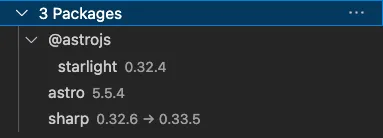
Click a dependency and choose:
Upgradeto upgrade the dependency to the latest version.Infoto display the npm web page for this dependency.Uninstallto remove the dependency from the project.
Some dependencies that require additional migration steps may be done automatically for you. For example: updating @ionic/angular-toolkit will migrate angular.json to remove unneeded sections or add @ionic/cordova-builders for Cordova projects.
Updating Multiple Dependencies
Section titled “Updating Multiple Dependencies”Packages are grouped under a scope (for example @ionic, @capacitor). You can upgrade all dependencies in a scope by clicking on the 💡 icon.
Minor Updates
Section titled “Minor Updates”You can see all available minor updates (eg from 1.2.0 > 1.3.1) for your project by clicking Configuration > Check for Minor Updates.
Choosing to upgrade will update each item one at a time.
Security Vulnerabilities
Section titled “Security Vulnerabilities”Click Configuration > Security Audit to identify all dependencies that have a security vulnerability. You can choose to attempt to fix these.